
How to avoid being asked for your address every time
Thank you for always choosing LYFT.
This is LYFT.
We'd like to show you how to avoid entering your address when placing an order.
Thanks to your support, LYFT has been receiving many orders simultaneously with new product releases.
However, we've received many comments such as: "I tried to complete my order after adding items to my cart, but the items were already sold out, and I couldn't complete the purchase."
Therefore, we'd like to introduce a method that allows for a "smoother" experience, and once registered, "eliminates the need to enter your address" from the next time onward.
■Open the menu
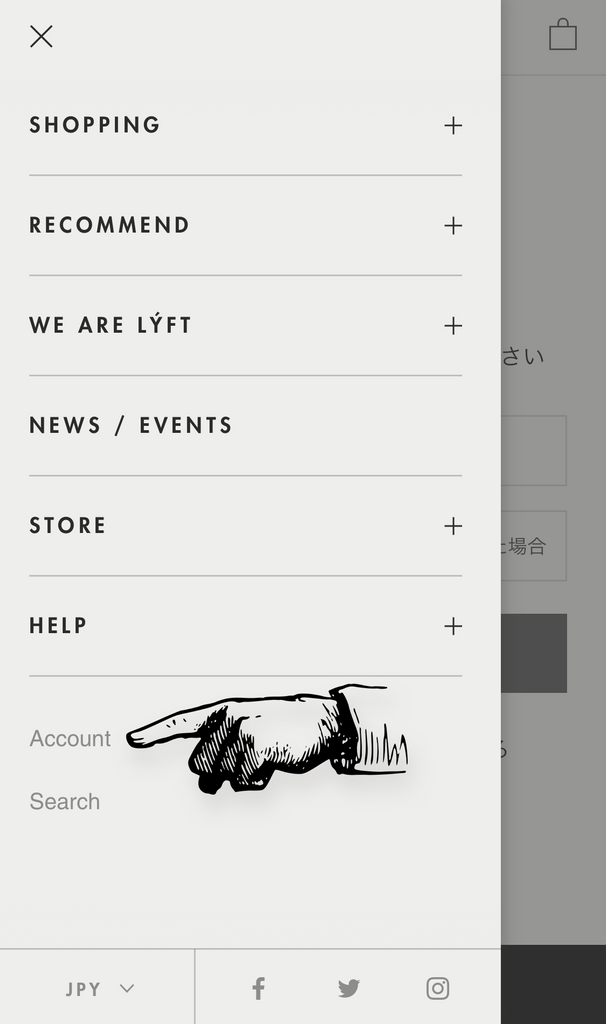
Tap "Account page".
■Login
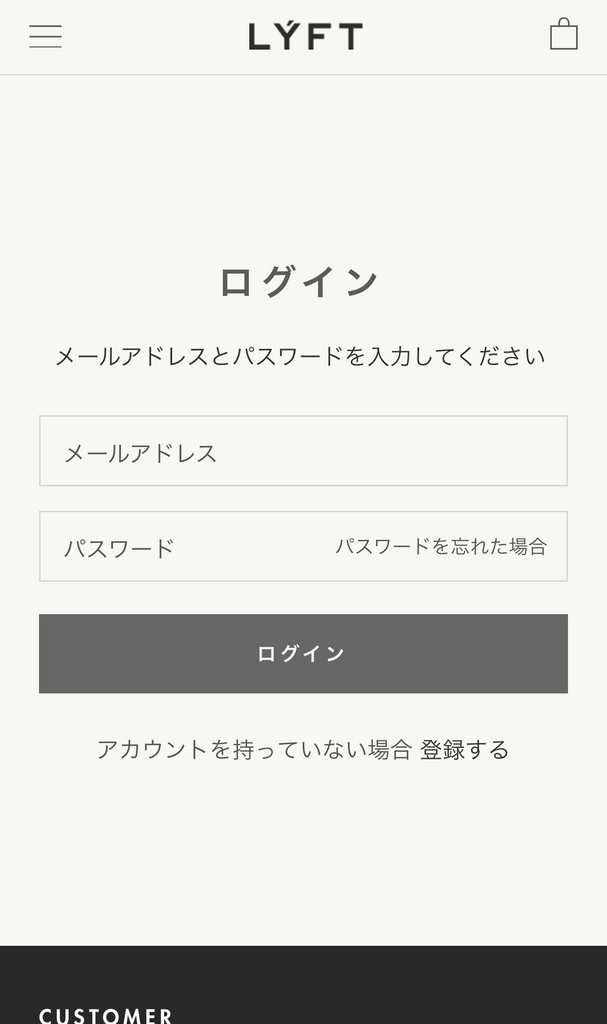
If you have a login account, please enter your login information.
If you don't have an account, please create one from [Register if you don't have an account].
*The information required for account registration is your email address and name.
At that time, this account name will be reflected in the shipping information, so please enter your correct name. If you create an account with a nickname or similar, the delivery company may not be able to deliver your order.
■Account Page

Tap [Manage Addresses].
If you have already registered, your registered address will be displayed here.
■Customers who have already registered an address
*When shipping within Japan, English addresses cannot be used for shipping. Please enter your address in Japanese.
*If there are errors in your address, an error message will appear during shipping, requiring correction procedures, which may delay your shipment. Please double-check this.
■To the address registration page

Tap [Add a new address].
If you have several shipping destinations, you can register multiple addresses using this method.
Also, if you are an existing customer, you can edit your address by tapping [Edit].
■Entering address and name

*Please make sure to enter in Japanese.
OK = 09012345678
NG = 090 1234 5678
First Name LYFT (Yamada)
Last Name LYFT (Taro)
〒151-0051
Tokyo Shibuya-ku Sendagaya 3-1-6 1F
000-0000-0000
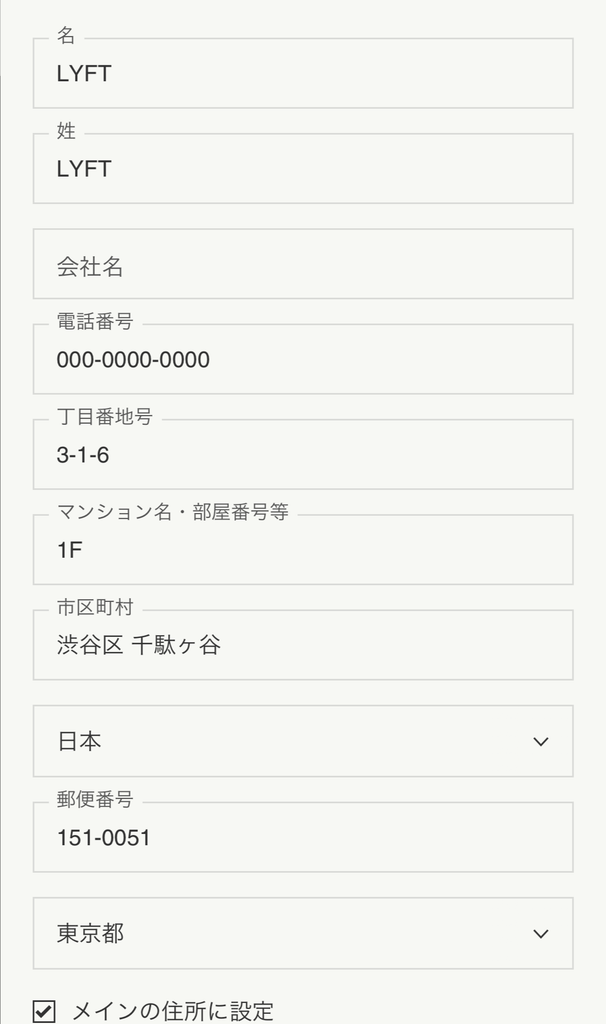
The address you check as "Set as main address" will be reflected at the time of purchase.
■Registration complete
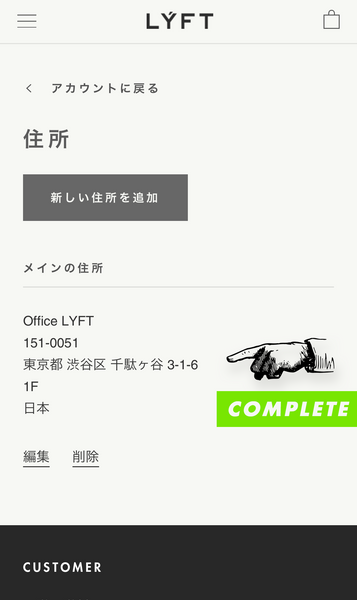
You're all set. Registration is complete.
You won't need to enter your address for your next purchase.
This setting will shortcut the input during checkout.
■Actual confirmation

Now, let's add an item to the cart and check the purchase screen.
We will proceed with items totaling over 20,000 yen in the cart, with [Free Shipping] applied.
■Purchase screen ①
When you proceed to checkout, let's confirm if the information you entered earlier is correctly reflected.

As you can see, the account data you just entered is automatically reflected.

■Finally, an even faster method
Even if you are not logged in, you can retrieve information using your mobile phone number.
This information is entered when you are logged in or have entered your address.

This concludes the "Address Entry Shortcut Method" for the LYFT online store.
For other HELP topics, click here.
*Please note that due to errors in address entry during an order, delivery may take longer. We kindly ask that even customers who have already registered, please double-check your information to help us with smooth shipping operations.
Thank you for your continued support of LYFT.