
About Subscription Purchases
This page explains LÝFT Subscription Purchase so that you can use the Subscription Purchase with confidence. Subscription purchase is a convenient feature that allows you to place a single order and receive your products on a regular basis.
You can change the delivery cycle according to your preferred pace, such as once a month, once every two months, or once every three months, etc. You can rest assured that you will receive your products before they run out.
■Precautions
If you wish to purchase a subscription, please be sure to register an account. If you purchase a subscription without creating an account, you will not be able to cancel, skip, or change your address by yourself.
Purchase Method and How to Use My Page
1 - How to purchase a subscription
2 - Select a delivery cycle and make a purchase.
3 - Check your current subscription information
4 - Skip your next delivery
5 - I want to change my payment method
6 - I want to cancel my subscription
7 - Frequently Asked Questions
1 - Subscription Methods 
Please select the subscription button.
2 - Select a delivery cycle and purchase 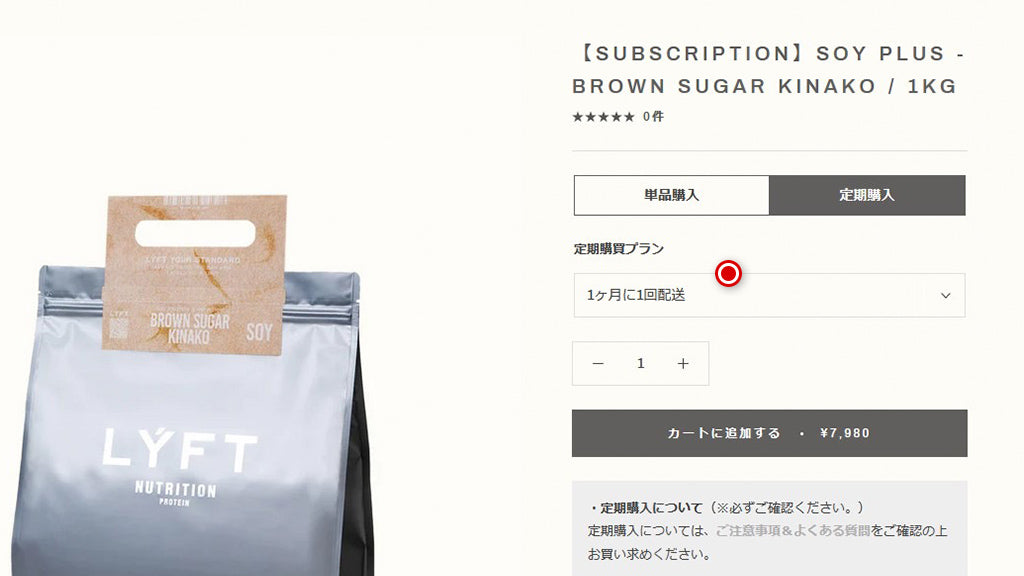
You can choose your delivery cycle from the following
Once a month
・Bi-monthly
・3-Monthly
Thereafter, the purchase method will be the same as for regular products.
3 - I would like to check my current subscription status. 
You can check your subscription status (active/canceled), delivery cycle
and next scheduled payment date from your order details in My Page.
You can check from the following page
Menu / ACCOUNT / Subscription List / Check Details
4 - I want to skip my next delivery 
You can skip the next month's delivery if you do not fully consume your subscription by the time of your next delivery. You can skip up to 3 deliveries.
You can check your order status from the following page.
Menu / ACCOUNT / Subscription List / Check Details
5 - I want to change my payment method 
You may change your payment method up to 7 days before your next scheduled payment date.
You can choose Credit Card or PayPal.
You can check from the following page.
Menu / ACCOUNT / Subscription List / View Details
6 - I want to cancel my subscription 
You can cancel your subscription by clicking the "Cancel Subscription" button on "My Page".
Orders that have already been paid for cannot be cancelled. Please note that you will be charged for the next subscription.
Please cancel at least one day before the next scheduled payment date at .
You can check from the following page.
Menu / ACCOUNT / Subscription List / Check Details
7 - Frequently Asked Questions
A: For regular products, we charge a flat rate of 880 yen (tax included).
Cash on delivery, carrier payments, etc. are not accepted.
After the update, you will be able to change the flavor from "My Page". Please wait for a while until the feature is added.
A: Please check the number starting with # in the Subscription Details section of My Page.